 SimSmsBox
 Quick answer: MFA fatigue (also called push bombing) is when an attacker already has your password, then spams “Approve login?” push prompts on your phone until you tap Allow out of annoyance or by mistake. Unlike OTP bombing, which floods SMS, this bet is that you’ll approve — not that they’ll guess digits.
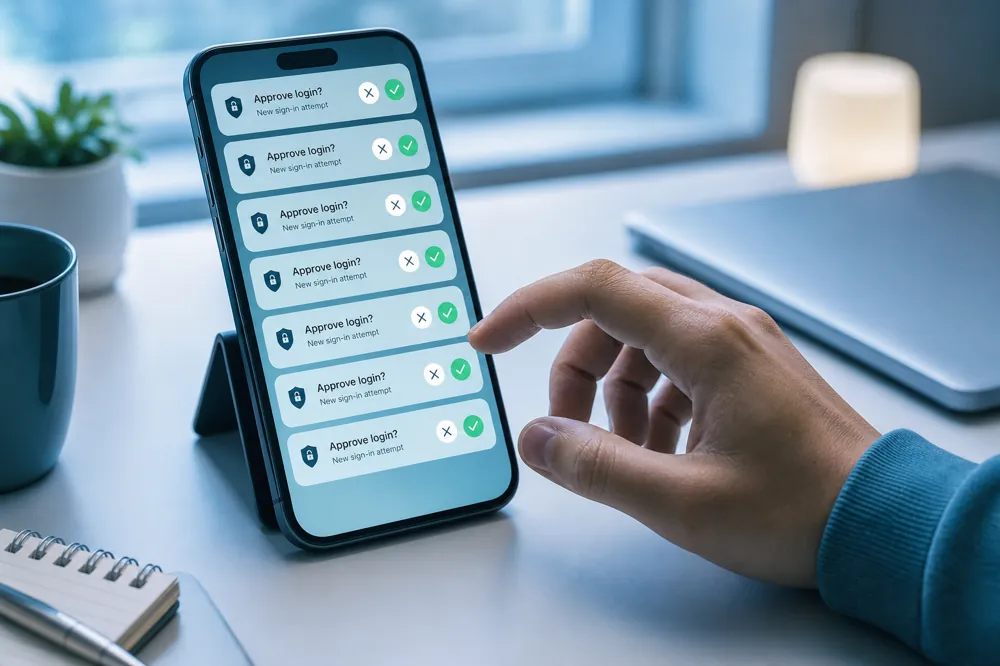
You’re not signing in, yet the phone keeps asking “Someone is trying to log in — approve?” That usually means the password is already compromised; the attacker only needs one careless tap. Real-world cases (including major SaaS breaches) show how convenient push MFA can be worn down.
1. How the attack works
- Steal or buy the password (stuffing, phishing, leak dumps).
- Attempt real logins repeatedly so your device gets approve prompts (sometimes paired with SMS noise and fake support calls).
- Time the spam for night or busy hours until you tap Yes — or read a code aloud.
Once approved, the attacker has a session and may disable alerts, change email, or add their own 2FA.
2. MFA fatigue vs OTP bombing
| MFA fatigue | OTP bombing | |
|---|---|---|
| Prerequisite | Password usually already known | Password not required |
| Channel | Push approve (sometimes + SMS) | Flood of SMS codes |
| Win condition | You approve or leak a code | Often harassment / setup for social engineering |
| Defense focus | Deny unknown prompts, stronger MFA | Rate limits, never share codes |
They can stack: SMS chaos first, then push prompts.
3. What to do when prompts won’t stop
- Always deny / ignore — never tap Allow “just to make it stop.”
- Change the password from a trusted device and revoke strange sessions.
- Upgrade from simple push to an authenticator code, security key, or number-matching push (type the two digits on screen).
- Check that email and recovery options weren’t changed.
- Keep backup codes so you’re not stuck on push-only.
4. What products should do
- Rate-limit and alert on bursty approve requests
- Show geo/device context and require number matching
- Force step-up checks for odd locations
- Offer non-push MFA by default
For people: convenience isn’t free. One-tap approve also one-taps the attacker in.
FAQ
I never approved — am I already breached?
Maybe not yet. Still rotate the password and audit sessions. If you did tap, treat it as compromised.
Will muting notifications protect me?
It lowers mis-taps; it doesn’t fix a stolen password. Change credentials and harden the second factor.
Does this relate to SMS platforms?
SMS platforms help you receive codes. MFA fatigue usually hits official app push. After signup, bind an authenticator so you’re not stuck on SMS/push alone.