 SimSmsBox
 Quick answer: An authenticator app (Google Authenticator, Authy, and similar) generates a 6-digit code on your device that changes every 30 seconds, using a secret you set up once — no network needed. SMS codes are sent to your phone number over the cellular network each time you log in. The app version is more secure because nothing is transmitted that an attacker can intercept, but SMS is easier to set up and works on any phone.
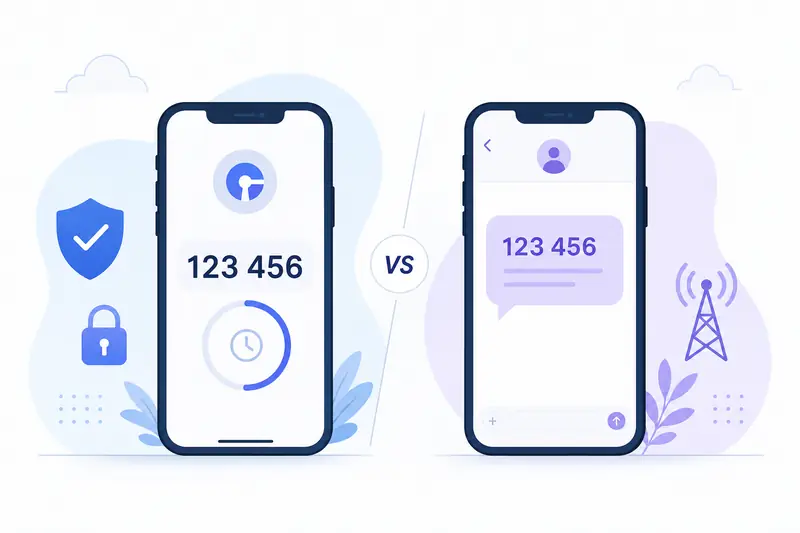
Both an authenticator app and an SMS code are forms of two-factor authentication — the “something you have” second step after your password. But they produce that code in very different ways, and the difference matters for both security and convenience.
1. How each one generates the code
Authenticator app (TOTP): when you enable it, the service shows a QR code that hides a shared secret key. Your app stores that key and, from then on, combines it with the current time to compute a fresh 6-digit code every 30 seconds. Both sides run the same math, so the codes match — with no message ever sent. TOTP stands for time-based one-time password.
SMS code: the service generates a random code on its server and texts it to your number each time. The code lives in a message that travels across the carrier network to reach you.
2. Authenticator app vs SMS: side by side
| Factor | Authenticator app | SMS code |
|---|---|---|
| Needs a network to receive | No (works offline) | Yes |
| Can be intercepted in transit | No (nothing sent) | Yes |
| Vulnerable to SIM swap | No | Yes |
| Setup effort | Scan a QR once | Nothing to set up |
| Works on any phone | Needs a smartphone app | Any phone that gets texts |
| Recovery if you lose the phone | Needs backup codes/export | Re-verify the number |
The security gap comes down to interception: because a TOTP code is never transmitted, attacks like SIM swap and SMS interception simply don’t apply to it.
3. When SMS still makes sense
SMS isn’t obsolete. It wins on universality and setup: any phone that receives texts can use it, with nothing to install and no secret to back up. For many accounts — and for services that only offer SMS — it’s the practical choice, and you can make it more reliable with a few success-rate tips.
It’s also the format you receive when you’re verifying with an online number, since a web panel can show an SMS code but can’t run a TOTP app tied to your account.
4. Which should you use?
- For high-value accounts (email, banking, primary logins), prefer an authenticator app — it removes the interception and SIM-swap risk.
- Keep SMS as a backup where the service allows it, so you’re not locked out if you lose your phone.
- Save the backup/recovery codes an authenticator setup gives you; losing the device without them is the main downside of TOTP.
- For the strongest option of all, look at passkeys vs SMS OTP, which remove the shared secret entirely.
FAQ
Q: Does an authenticator app need internet or signal? No. It computes codes from the stored secret and the clock, so it works fully offline.
Q: What happens if my phone’s clock is wrong? TOTP depends on time, so a badly wrong clock can make codes fail. Enable automatic network time to avoid it.
Q: Is SMS 2FA still better than no 2FA? Yes. SMS 2FA is far better than a password alone — it just has weaknesses an authenticator app avoids.
Takeaway
Authenticator apps and SMS codes both add a strong second factor, but they’re not equal: an authenticator app computes the code locally with nothing to intercept, making it more secure, while SMS wins on universal reach and zero setup. Use an app for your important accounts and keep SMS as an accessible fallback.